這裡主要包出一些函式去控制 Console 視窗,大多都是一邊看 MSDN 一邊去 try。但有些結果我覺得不是很好就註解掉,同時也讓我遇到了一些問題現在還沒辦法解決。下次再研究其它功能的時候,會再發另一篇出來,主要程式碼如下所示...
原始碼
/*
filename: EConsole.h
*/
edisonx 發表在 痞客邦 留言(0) 人氣(10,781)
常用 Console Function(截自MSDN)
Function |
Description |
FillConsoleOutputCharacter |
Writes a character to the console screen buffer a specified number of times. |
GetConsoleTitle |
Retrieves the title for the current console window. |
GetConsoleWindow |
Retrieves the window handle used by the console associated with the calling process. |
GetStdHandle |
Retrieves a handle for the standard input, standard output, or standard error device. |
PeekConsoleInput |
Reads data from the specified console input buffer without removing it from the buffer. |
ReadConsole |
Reads character input from the console input buffer and removes it from the buffer. |
ReadConsoleInput |
Reads data from a console input buffer and removes it from the buffer. |
ReadConsoleOutput |
Reads character and color attribute data from a rectangular block of character cells in a console screen buffer. |
ReadConsoleOutputCharacter |
Copies a number of characters from consecutive cells of a console screen buffer. |
ScrollConsoleScreenBuffer |
Moves a block of data in a screen buffer. |
SetConsoleCursorInfo |
Sets the size and visibility of the cursor for the specified console screen buffer. |
SetConsoleCursorPosition |
Sets the cursor position in the specified console screen buffer. |
SetConsoleTitle |
Sets the title for the current console window. |
SetStdHandle |
Sets the handle for the standard input, standard output, or standard error device. |
WriteConsole |
Writes a character string to a console screen buffer beginning at the current cursor location. |
WriteConsoleInput |
Writes data directly to the console input buffer. |
WriteConsoleOutput |
Writes character and color attribute data to a specified rectangular block of character cells in a console screen buffer. |
WriteConsoleOutputAttribute |
Copies a number of foreground and background color attributes to consecutive cells of a console screen buffer. |
WriteConsoleOutputCharacter |
Copies a number of characters to consecutive cells of a console screen buffer. |
edisonx 發表在 痞客邦 留言(3) 人氣(856)
前言
看過 朋友的網誌,決定補充這二個東西。事實上 keybd_event 和 mouse_event 算是最簡單的外掛函式之一,
然而在 Win32 API 與 MFC 裡面仍使用 SendMessage, PostMessage 之方式進行,
edisonx 發表在 痞客邦 留言(0) 人氣(3,678)
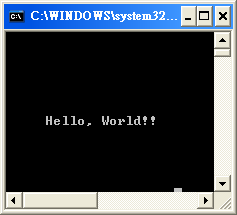
繼上個程式之後,我們已知道所有的步驟都要先取得 Handle,要 "畫" 出字串的時候就用 WriteConsole,但有時並不想從最左上角開始畫,這時我們必須介紹一個指令 SetConsoleCursorPosition
BOOL WINAPI SetConsoleCursorPosition(
__in HANDLE hConsoleOutput,
__in COORD dwCursorPosition
);這指令主要就是把游標移到指定的位置上,到時再輸出的時候也能直接從該位置輸出。裡面有用到一個結構是 COORD,原型如下
typedef struct _COORD {
SHORT X;
SHORT Y;
} COORD,
*PCOORD;edisonx 發表在 痞客邦 留言(0) 人氣(6,919)
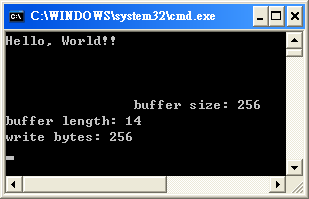
這系列 ( console to windows) 文章並不會說到有關視窗程式設計的技巧,主要提供在 console 底下使用的人一些問題的指引與解決方案,但往往找到的解答都是有些讓初學者震驚的 windows.h ,於是特發此系列文章。若真是想學視窗程式設計,請考慮挑本 win32 視窗程式設計,或 MFC, BCB 視窗程式設計等此類書籍。當然,若評估考量後要用 C#, VB, JAVA... etc,也非常讚同,總之看官學得有興趣就好。
在往下看這系列的文章時,請先至少把基本的 C 或 C++ 學好,不然這部份對您而言沒有任何幫助。另,我該說先去多看看 windows.h 裡面有什麼東西嗎?如果您之前真的翻過 windows.h 裡面有什麼 struct, macro, function, 您會和我一樣,看得愈來愈亂,甚至裡面還有包含其它的 header, 再連過去看,這下真的是亂到不能再亂了!!於是我較建議,有需求的時候再上 MSDN 去查查,不然還是買本有系統的書回來學學,只是鮮少書籍專門在講 windows.h 裡面的 console 函式。
這次,重新先架構第一個程式 - Hello World, 相關說明如下
1. 資料型態 - HANDLE 、DWORD、LPDWORD
edisonx 發表在 痞客邦 留言(1) 人氣(31,152)

 開發手札 (2)